Introduction
The
goal of this example is to collect some basic data like server name,
service name, language, etc. about a list of SQL servers. The server
list is stored in a SQL server table ("
Server"); the collected data should be stored in table "ServerSetup":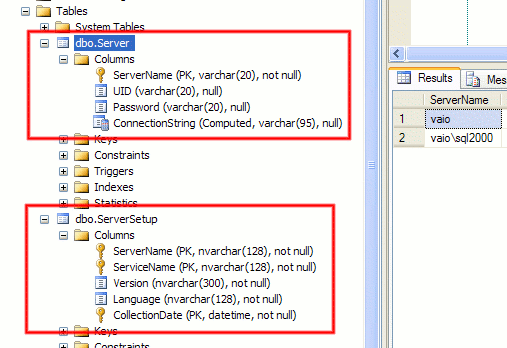
We
start by creating a SSIS package in Visual Studio 2006. The list of
servers that should be examined is read from our SQL Server database by
using an Execute SQL Task. We need to write the resultset of a
SQL query into a variable. The loop will later iterate through all rows
of all tables in this variable. It is important to specify Full result set; if you do not set this option, you will not be able to store the resultset into a variable.
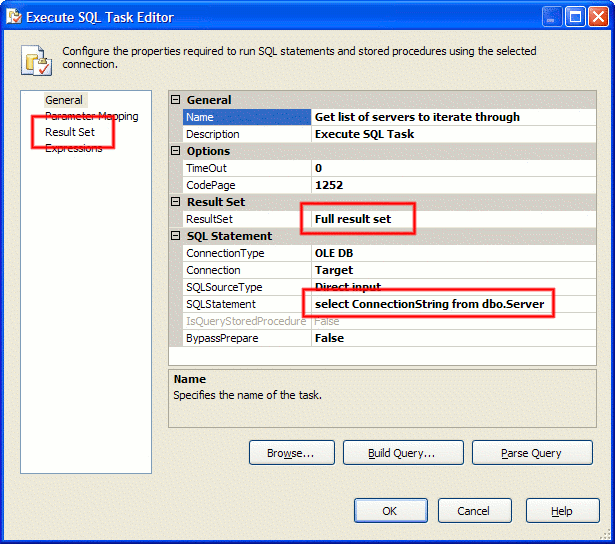
After you have entered the SQL statement and you have set the ResultSet option, you have to switch to theResult Set pane and specify the name of the variable in which you want to store the result set. The variable has to be of type Object:

The
next step is to create our Foreach ADO Loop. As you can see in the
picture below, you have to specify the variable into which we wrote the
result set of our Execute SQL Task:
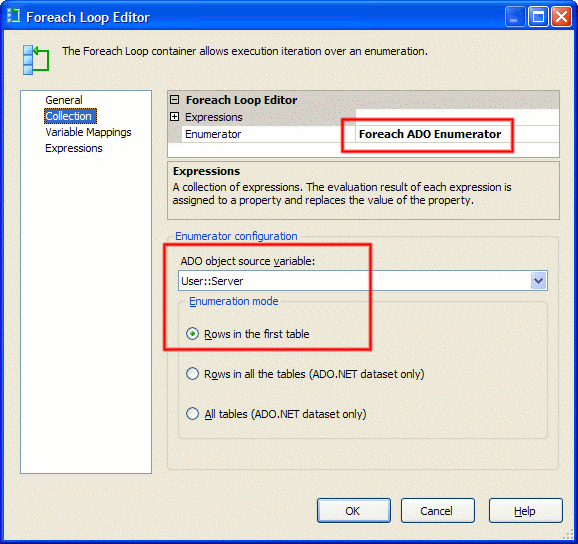
In addition to that, we have to specify a second variable (of type String!)
into which the loop will write the content of each row of the result
set. The variable's content will change from iteration to iteration:
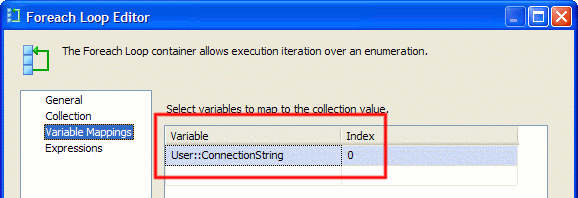
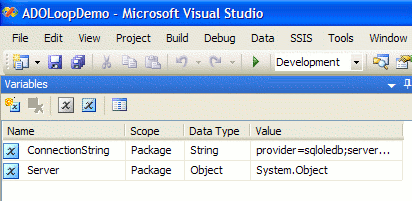
This picture shows a summary about the variables you have to define for running this sample:
Inside
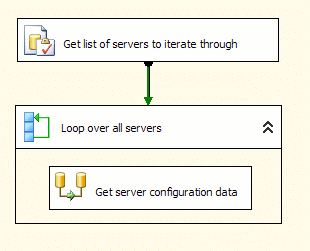
the loop, we use a data flow task to get the basic data from our
various SQL Servers. By now, our control flow should look like this:
The
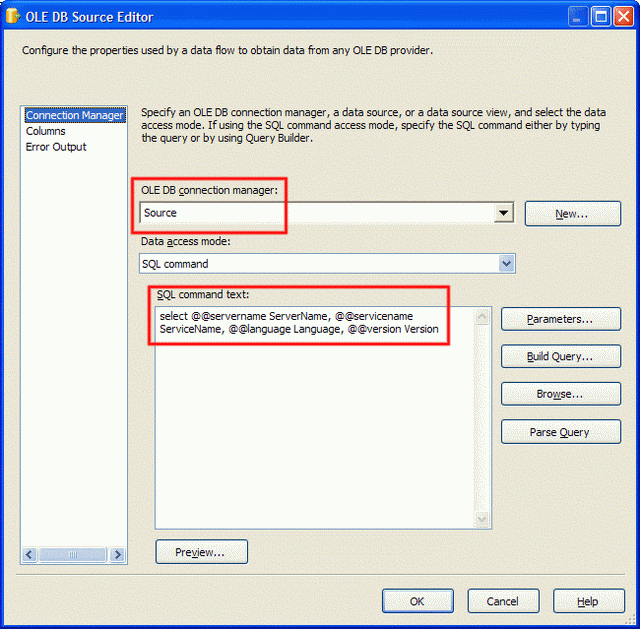
next step is to create our source connection. Firstly we create a
static connection that points to any of the SQL Servers which we want to
collect data from:
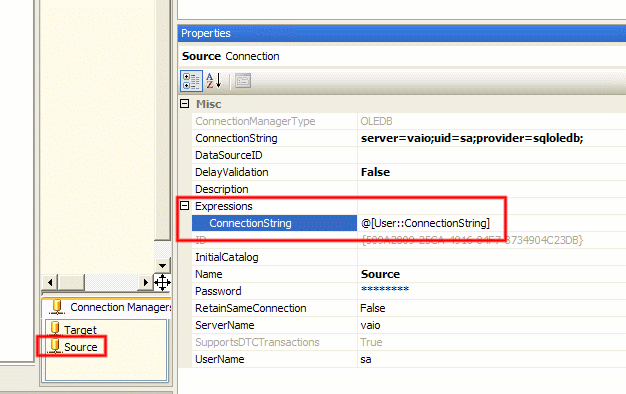
Secondly,
we use the connection's properties to specify an expression through
which the connection string of the connection will be changed to the
connection string in the variable that is changed by the Foreach ADO
loop:
Last but not least, we define the destination connection and map the fields:

At the end, the data flow of our package should look like this:
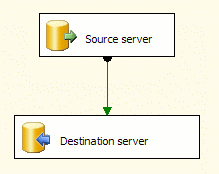
Try it! You will see that the Foreach ADO Loop changes the content of the variable ConnectionStringautomatically and you receive the basis data about all your SQL Servers in the target table.

No comments:
Post a Comment